
This article will guide you through upgrading Power to an annual plan and managing your subscription directly from your UTR Sports account.
What are the Global Privileges benefits?
As an Annual Power subscriber, you get access to a range of travel perks through Global Privileges, including:
- Hotel Savings & Discounts
- Hotel discounts on more than 1.4 million hotels worldwide
- Savings for long-term stays and group travel
- Exclusive Credits & Perks
- Travel credits (such as excursion credits or hotel vouchers), depending on membership level
- Airport lounge access with discounts and passes (for select perks)
- Discounts on car rentals, event tickets, and cruises
Upgrade via Web
- Sign in to your UTR Sports account at UTRSports.net.
- Open your subscription page by clicking your profile icon at the top right.
- Upgrade your subscription: Select the Upgrade & Save option.
Note: Global Privileges is only available for Power Annual subscriptions.
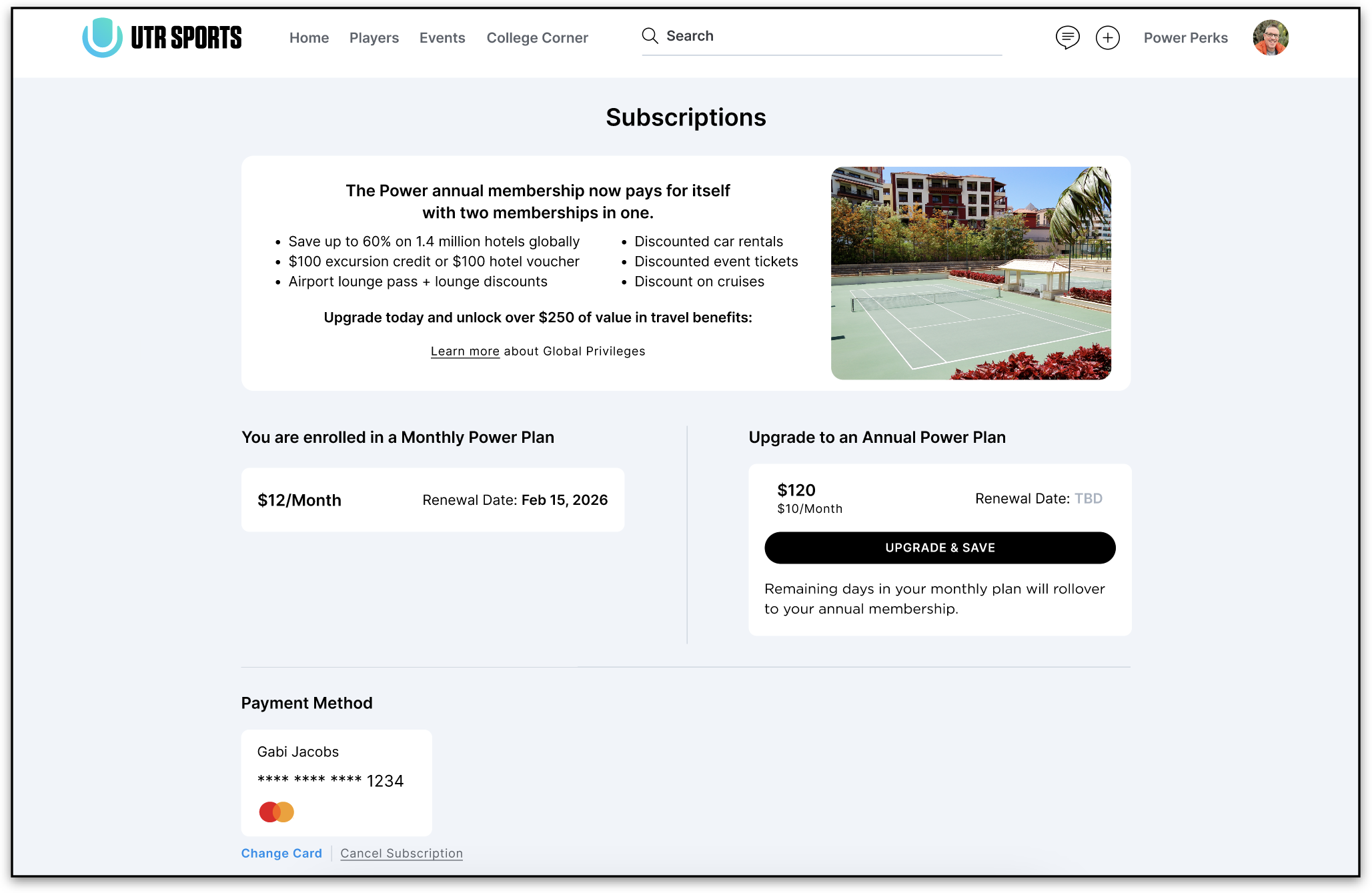
- Confirm your upgrade and enter payment information if prompted. Follow the on-screen instructions to complete your annual subscription.
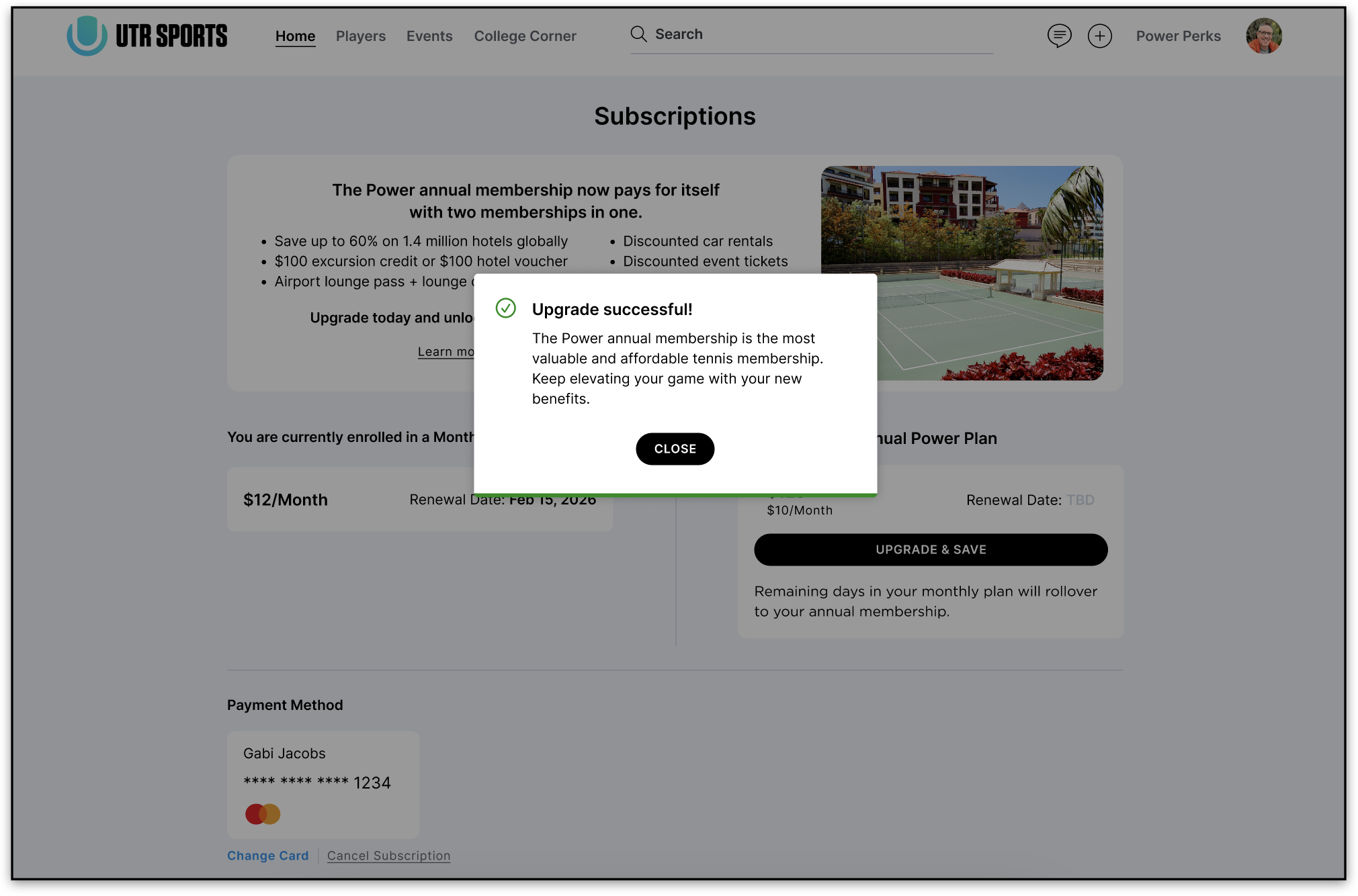
- Once the upgrade is complete, you’ll see a confirmation message with your new plan.
Upgrade via iOS app
- Open the UTR Sports app and make sure you’re signed in to the latest version.
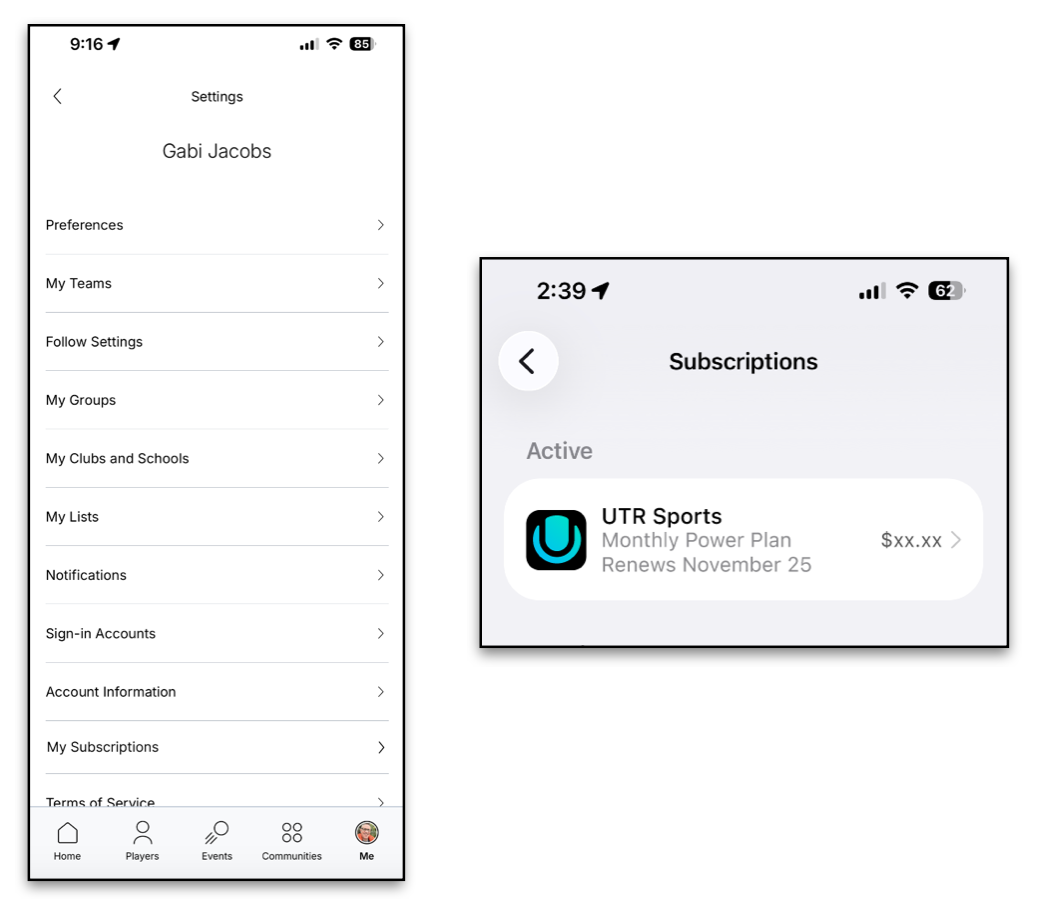
- Tap your profile icon in the bottom right, then tap the gear icon at the top right to access your account settings.
- Tap My Subscription to view your device’s subscription, then select UTR Sports.
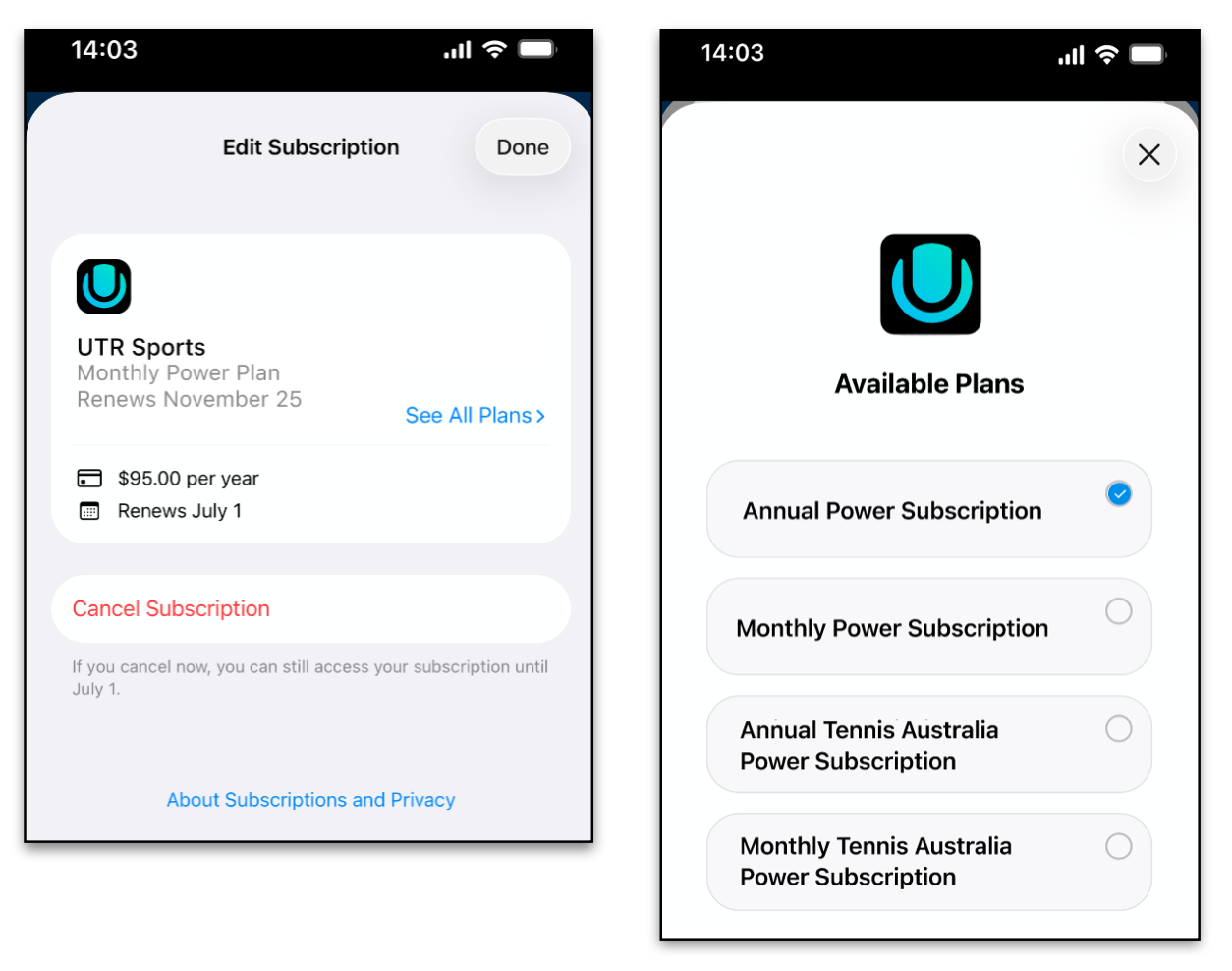
- On the Edit Subscription page, tap See All Plans and choose the Annual Power subscription. Apple will handle billing and renewals.
- Once your purchase is successful, your subscription status will be updated in the app.
Accessing Your Global Privileges Account
Players can access their GP benefits in three ways:
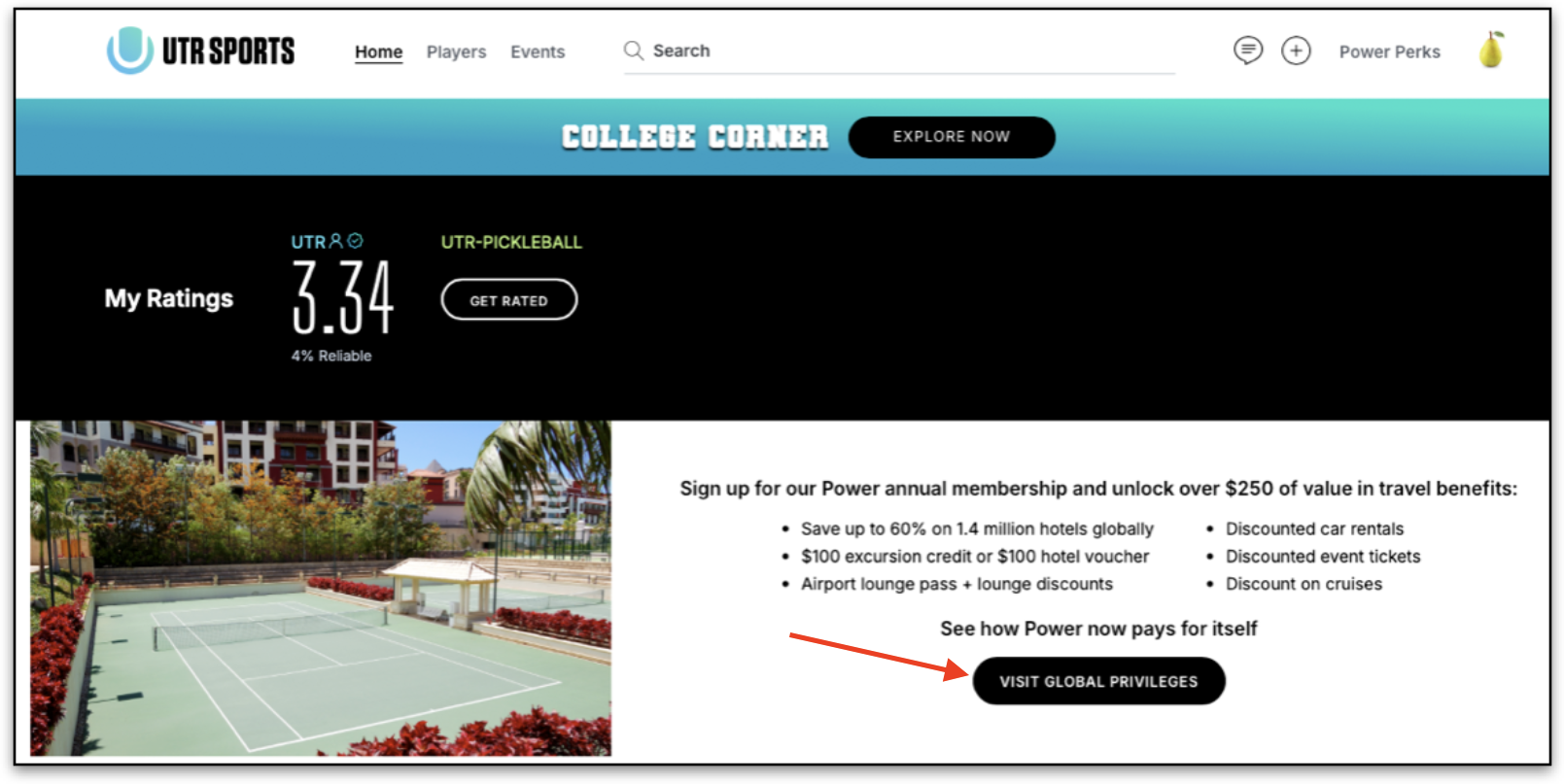
1. From the UTR home dashboard:
- On your home dashboard, you’ll see a Global Privileges banner.
- Click the “Visit Global Privileges” button to be automatically signed in. No separate account creation is required.
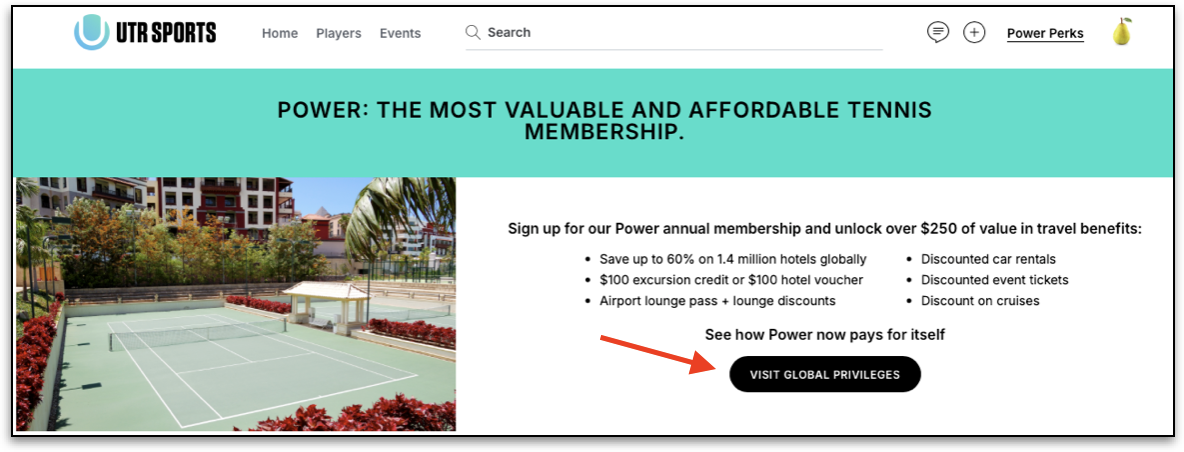
2. From the Power Perks page:
- Navigate to the Power Perks page in the app.
- Click the “Visit Global Privileges” button at the top of the page.
3. Log in to Global Privileges directly HERE. Clicking this link will automatically sign you into the Global Privileges platform.
Note: Currently, GP benefits are only accessible through the UTR app.
Once logged in, you can view and redeem your hotel credits, lounge access, and other travel perks.
If you encounter any issues along the way, our Support team is here to help. Submit a ticket here.