
This article explains how to update your Power Player subscription, including updating billing information and upgrading plans using either the UTR Sports web or the iOS app.
Manage Subscription via Web (Browser)
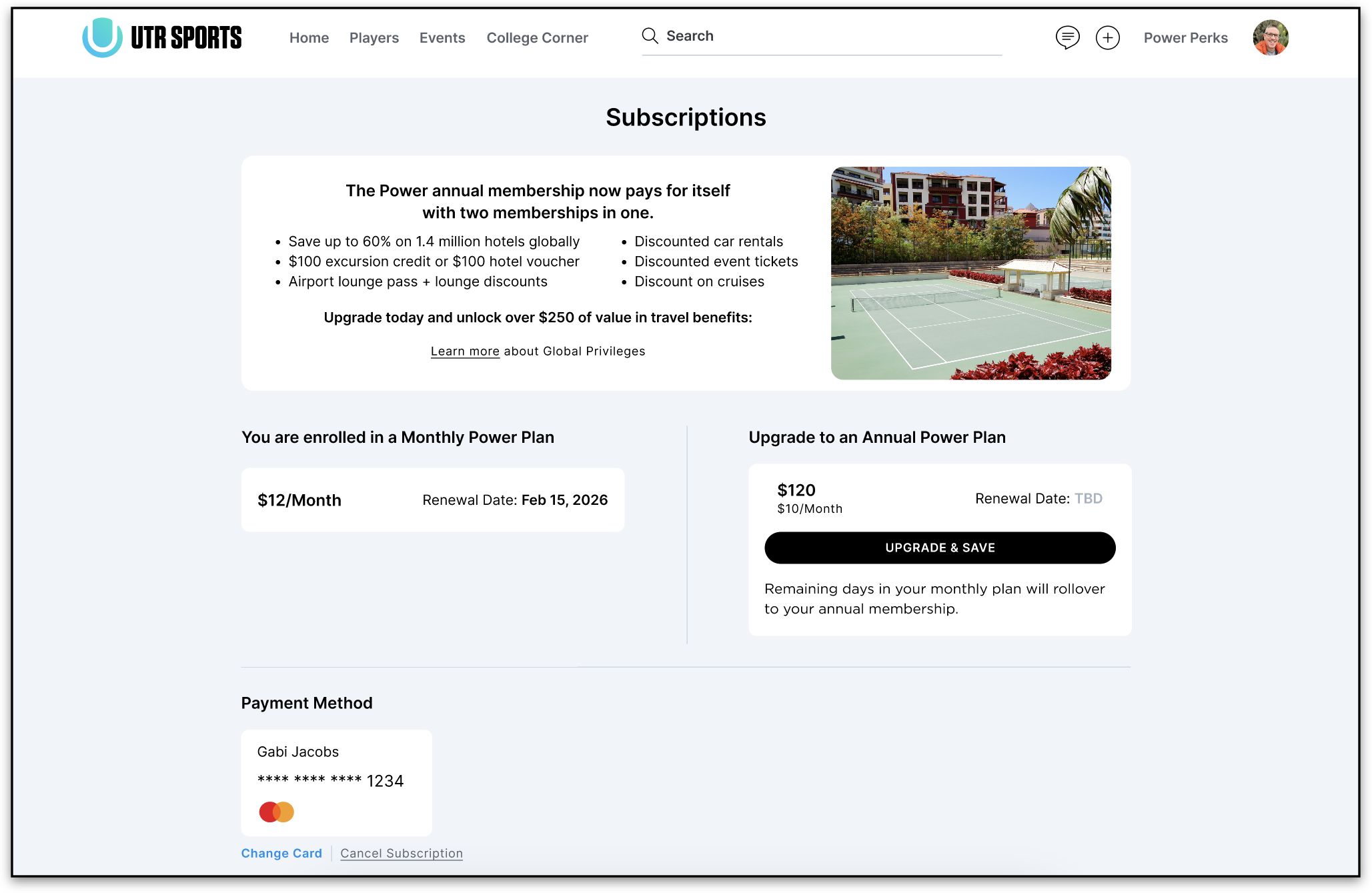
- Log in to your UTR Sports account on a browser.
- Click your profile icon (top right) to open the main menu.
- Select Subscriptions.
- On the Subscriptions page, you can:
- Upgrade to Power Annual by clicking "Upgrade & Save."
- Update your card information
- Cancel subscription
Manage Subscription via iOS App
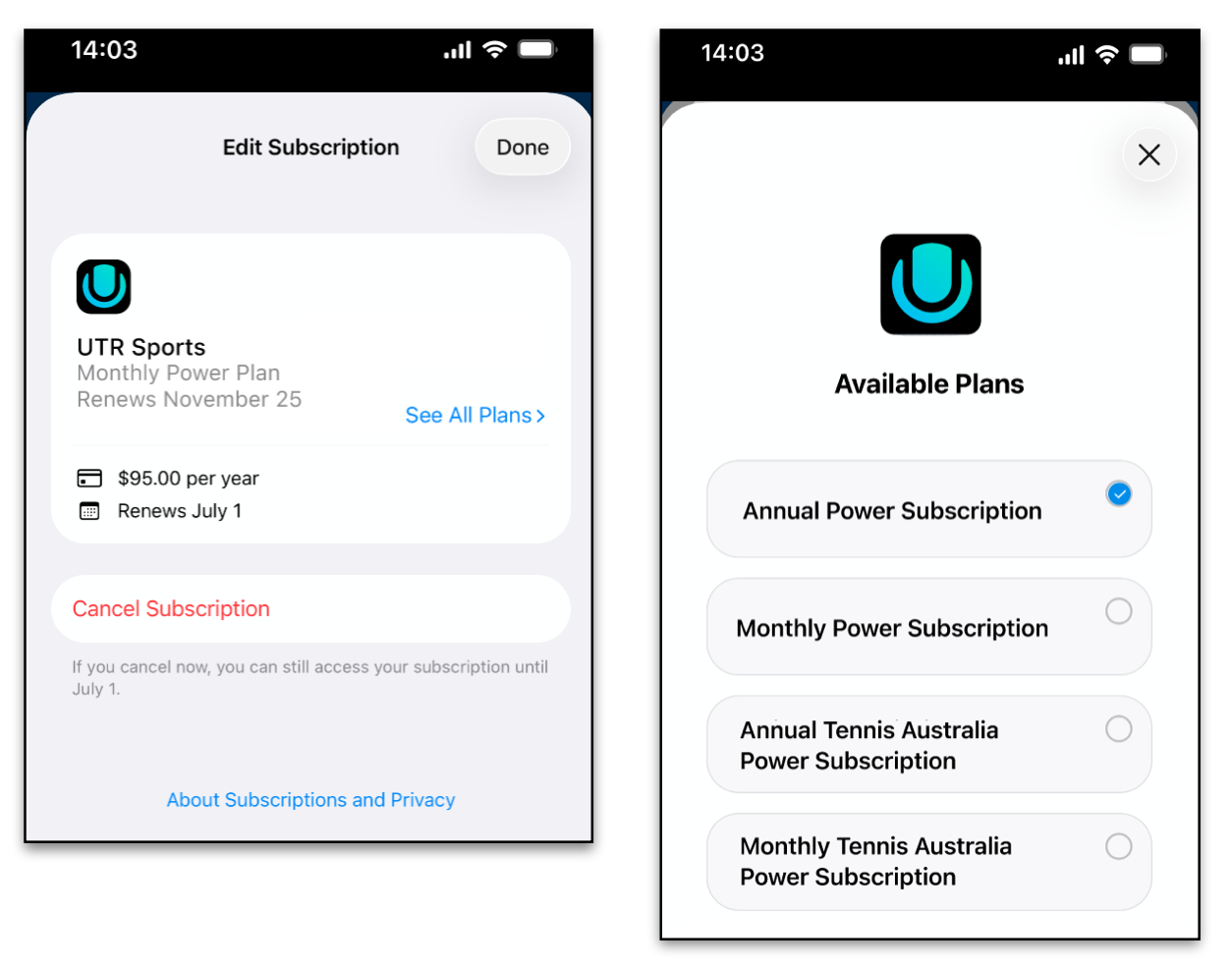
If you subscribed to Power Players via the iOS app, you’ll manage your subscription through Apple’s system. Here’s how:
- Open the Settings app on your iPhone.
- Tap your name / Apple ID banner at the top.
- Tap Subscriptions.
- In the list, find the UTR Sports app. From here, you can:
- View your next billing date and subscription details
- Change the subscription plan (e.g., switch from monthly to annual)
Tip: Upgrade your subscription from monthly to annual to unlock Global Privileges benefits.
Want to know more about managing your subscription?